Designing an inbox your team already trusts
"I spend so much time looking at email everyday, it's hard to stay up to date with the important things while being in meetings all day."
That's how my manager described what he actually needed. His mornings were back-to-back meetings with no room to read his own inbox. His team had already tried an existing tool. In his words, it gave garbage outputs that weren't accurate.
Discovery
Before I designed anything, I ran discovery interviews with him and the rest of the OEM team, using a Jobs to Be Done framing, learned from Clayton Christensen's Competing Against Luck, rather than asking what features they wanted. In one interview I used the book's milkshake example unprompted, which is what convinced me the framework actually applied here.
That left me with two separate problems: time and email. Our PMs were in back-to-back meetings all day, leaving no time to check what they'd missed, and when they finally checked, they were overwhelmed by sheer volume. This cost our PMs hours every day and every week. And at a larger scale it cost our business weeks of production annually from our director-level decision makers.
Scoping it into a buildable spec
Before any interface decisions, I wrote a PRD. PRD: problem statement, discovery summary, goals, non-goals, functional requirements by section (time window handling, the four-tier classification logic, thread handling, voice and formatting rules), and a full edge-case list.
One decision in that document mattered most: how to build this without introducing a new data access risk. I built the agent entirely inside Microsoft 365 Copilot Studio rather than as a custom app calling the Outlook or Graph API directly. That kept the agent inside Lenovo's existing enterprise permission model, scoped per user to their own mailbox, instead of requesting new credentials or elevated access. Before deployment, I reviewed the project directly with Lenovo's compliance and AI teams to confirm it met internal standards for handling email data.
Why three buttons
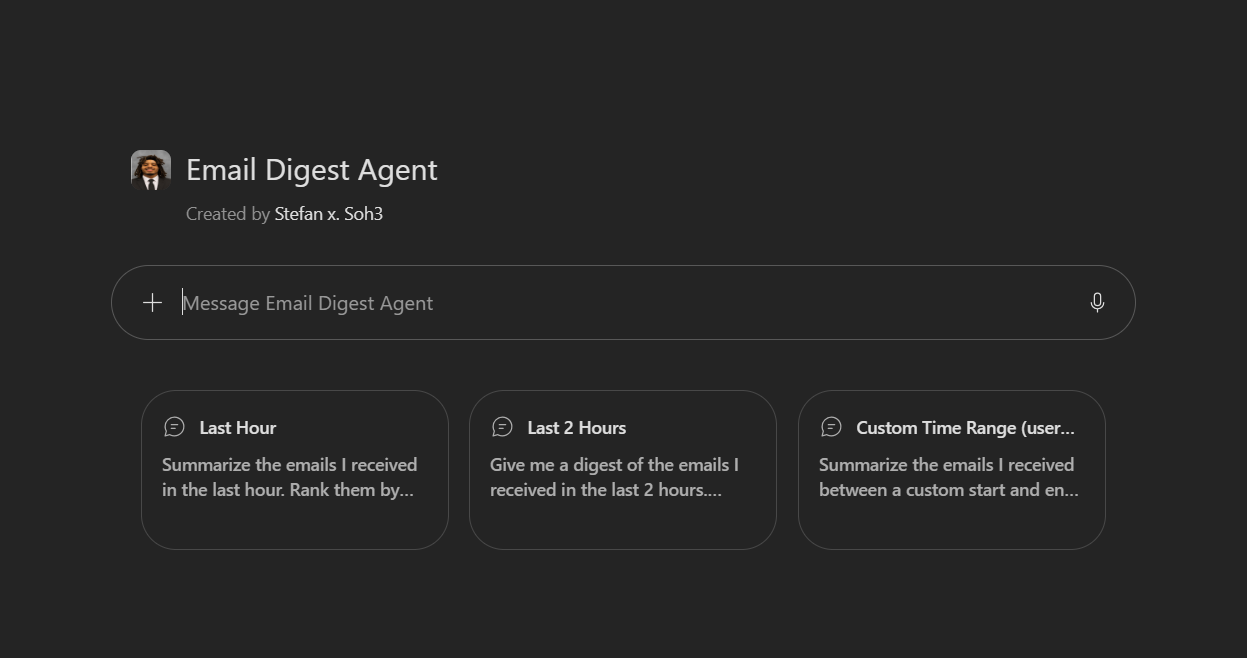
The agent's actual interface offers exactly three entry points: Last Hour, Last 2 Hours, Custom Range. That UI choice maps to how someone actually behaves between meetings. Users do not want to type a prompt describing their situation, they want to recognize the option that already matches it, especially for those with a less technical background. Reducing the decision to three visible choices is a real interaction design decision that makes the tool more accessible.
The reasoning built into the agent
- It only reasons over the exact time window requested, never the full inbox. The goal was to let users know what changed during the given time period.
- Seniority, referencing the org chart, is one factor among several that help decide what emails are surfaced. Urgency of language, explicit action requests, deadlines, and whether a message meaningfully changes an ongoing thread all factor in alongside sender identity to give a comprehensive list of the important and urgent emails missed.
- Nothing gets ignored. Anything ambiguous or hard to classify goes into its own Vague or Misunderstood category instead of being discarded, because a wrong omission is worse than a weaker list.
- Routine mass mail, generic company-wide notices, and standard calendar invites are explicitly down-ranked by default, since they're rarely what someone actually needs mid-triage, but they're still visible, just compressed to one line.
What's live today
The agent runs inside M365 Copilot Studio as a conversational tool. Ask it for a window, last hour, last two hours, a custom range, and it returns a structured digest split into four tiers: Need to Know, Be Aware Of, Quick FYIs, and Vague or Misunderstood.
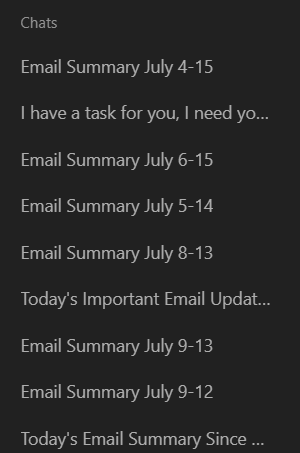
"I'm going to start using it daily. I used it before I went on vacation and when I got back, with a week's worth of emails, it bubbles the high priority items to the top as well as anything I need to take action on. I'm not sure how to quantify the time savings since it can take me a day or two to get through old emails. The agent puts those in front of me so I can work on them first."
What I'd build next
The agent works, but it lives entirely in chat text, no visual hierarchy, no way to scan instead of read. Below is a working redesign of that same logic: pick a time window and watch the digest populate across the same four real categories, click into any item to see the actual reasoning behind its placement.